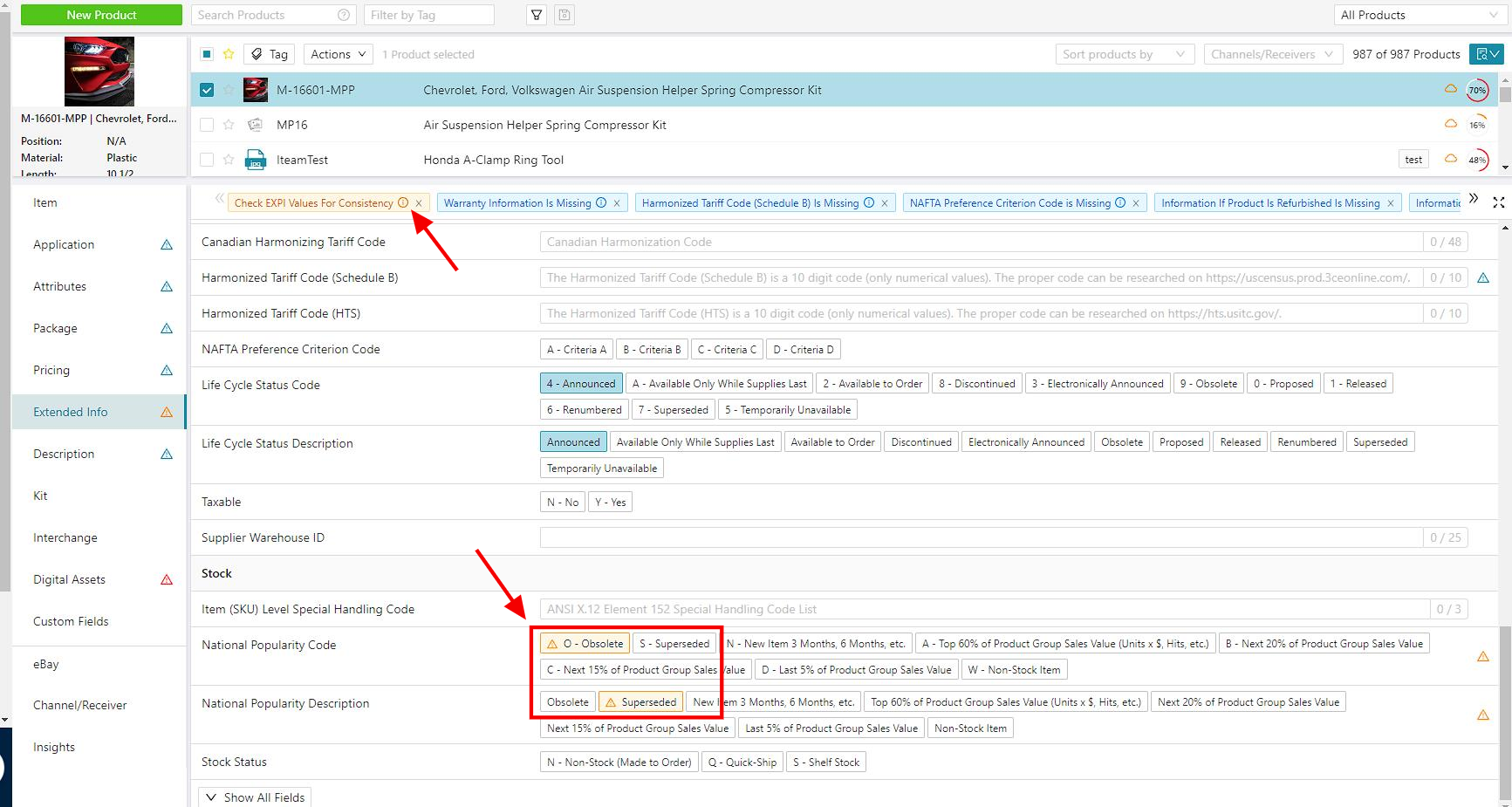
National Popularity Code & Description
Access the National Popularity Code & Description
National Popularity Code & Description are accessible through the Extended Product Information Segment.
1. In the All Products tab, Select one or more product(s) and click on the Extended Info segment.
2. Scroll down to the Stock options list to find the National Popularity Code and National Popularity Description fields.
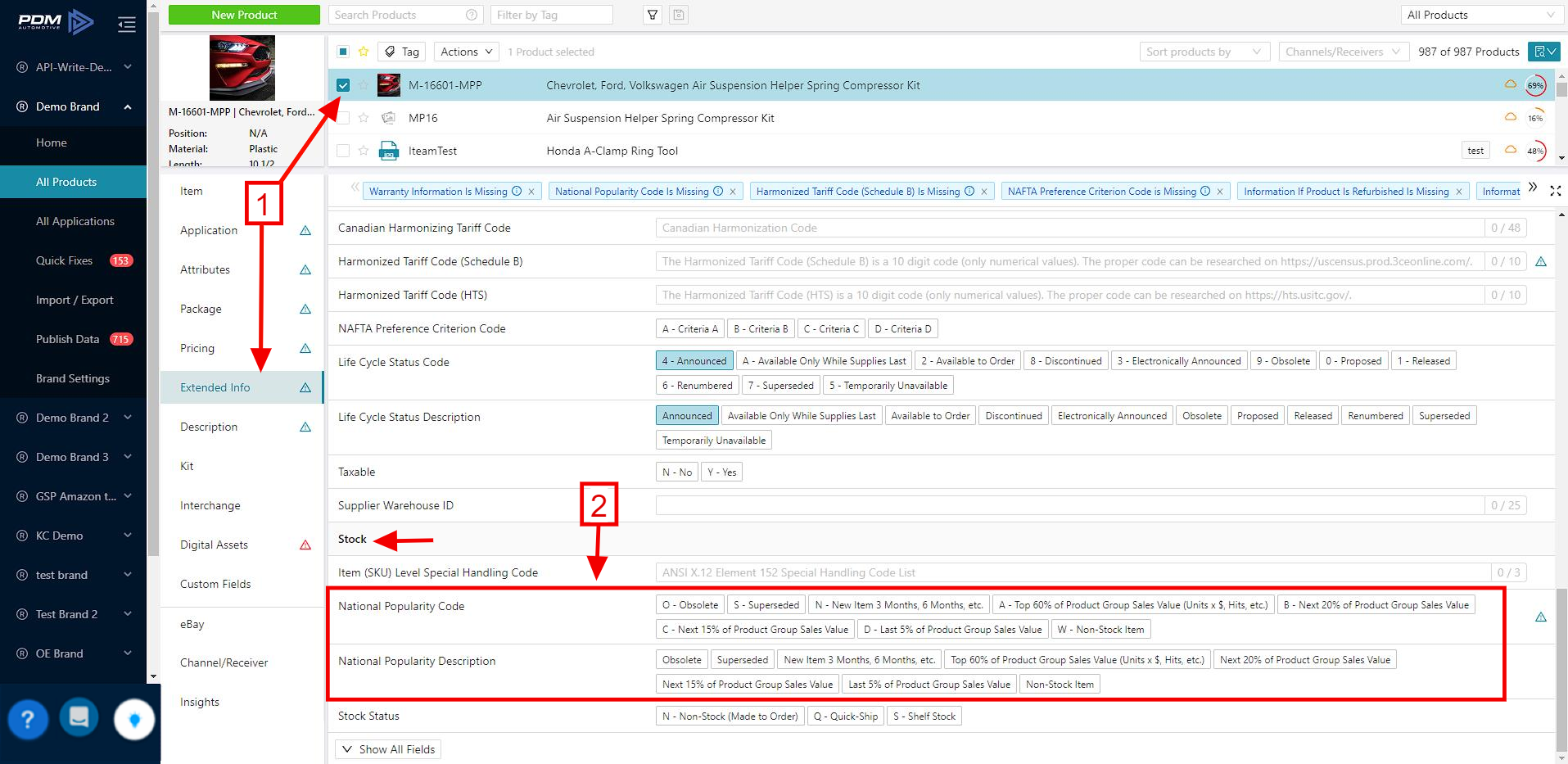
National Popularity Code
Describes the popularity of the specific product in the available categories.
- O - Obsolete.
- S - Superseded.
- N - New Item 3 Months, 6 Months, etc.
- A - Top 60% of Product Group Sales Value
- B - Next 20% of Product Group Sales Value
- C - Next 15% of Product Group Sales Value
- D - Last 5% of Product Group Sales Value
- W - Non-Stock Item
National Popularity Description
Is a plain text version of the National Popularity Code, useful for adding to descriptions. While the National Popularity Code and Description are related, they are not linked and must be edited separately.
If the two fields don't match after an edit or an import, PDM will generate a Check EXPI Values for Consistency warning tag. The warning can be resolved by editing the National Popularity Code and National Popularity Description so that they correspond.